For club organizers
A home for your reading club.
Give your readers one page for your meetups, a quick check-in at every session and a place to share books. We set it up with you.
For you
What your club gets.
A page for your club
Your club gets its own address, like reads.city/your-city/your-club, with the date, time and place of your next meetup, a map link, your meetup steps and a link to message you.
Your schedule in one place
Change a date, time or place yourself at reads.city/myclub, or cancel a meetup when it rains. Your meetups show on your club's page and on your city's page, next to every other club meeting that weekend. Readers also see the city's book cafes, so your club sits among the places to read in your city.
One tap to join
Readers sign in with Google and join from your page. Share it as a link or a QR code. Anyone who checks in at your meetup joins your club.
See what your club reads
See how many readers checked in, and which genres and books they brought. Names are never shown, to you or to anyone else.
Your own meetup steps
Tell readers what to expect: when to arrive, how the session runs, what to bring. Your steps show on your club page.
Free forever
No costs and no subscription fees. We never charge organizers or readers.
Examples
Clubs already on reads.city.


For your readers
What your readers get.
- Chapter 1
Check in
Add the book, author and genre in a few seconds. Still reading last week’s book? One tap fills it in.
- Chapter 2
Reading Colours
During the group photo, each phone shows the colour of its genre, so the photo shows the mix of genres in the room.
- Chapter 3
Discover books around you
How many came, the mix of genres and every book in the room, for ideas on what to read next. No names.
- Chapter 4
Share books
Mark the books they can lend and the ones they want, and swap them in person at the next meetup.
- Chapter 5
Quotes
Share a line they loved from the book they are reading with the rest of the club.
- Chapter 6
Recommendations
Not sure what to read next? Spin for a book another reader in the club recommends.
- Chapter 7
Reading timeline
Every meetup they came to, with the book they brought, and how many weekends in a row.
- Chapter 8
Works like an app
Add reads.city to the home screen. Nothing to download from an app store.
See it in action
What your readers see.
Your readers use reads.city on their phones at every meetup. Here is the app with an example club.
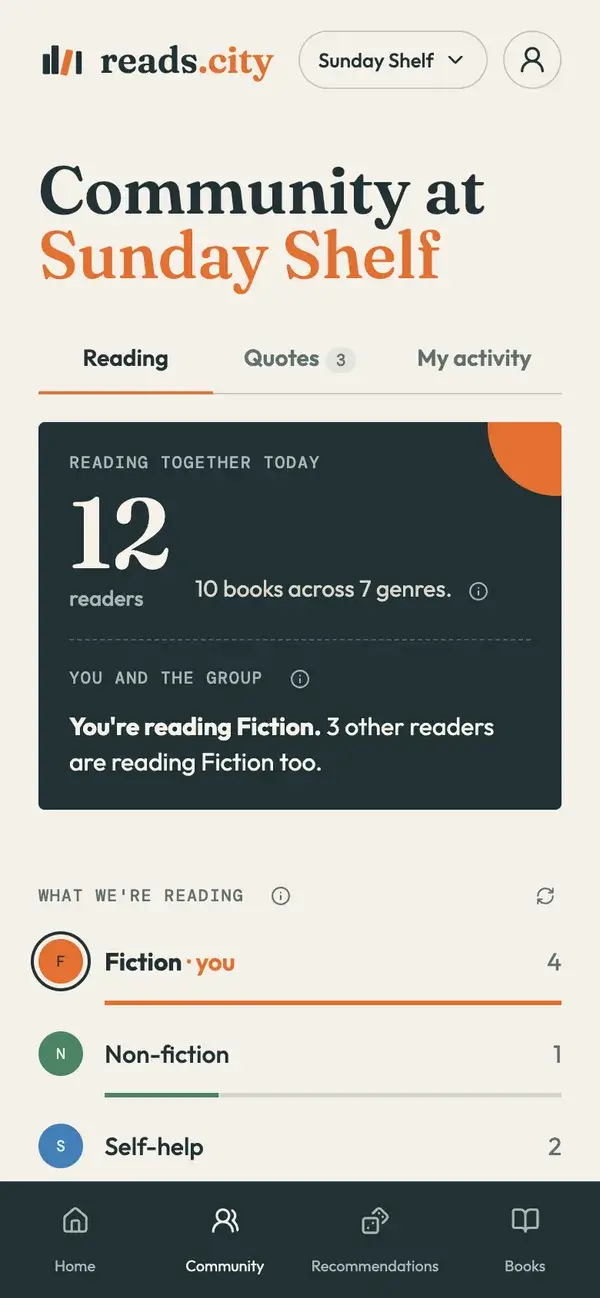
Books around you How many came, the mix of genres and every book. No names. 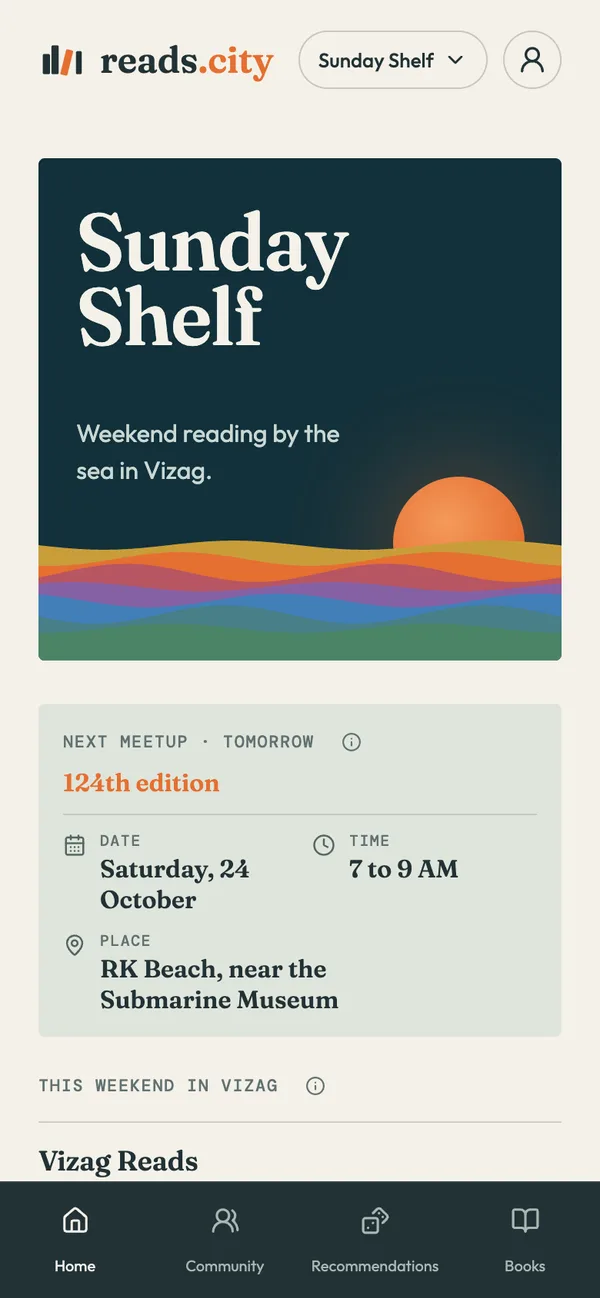
Your club Your club’s next meetup: the date, time and place. 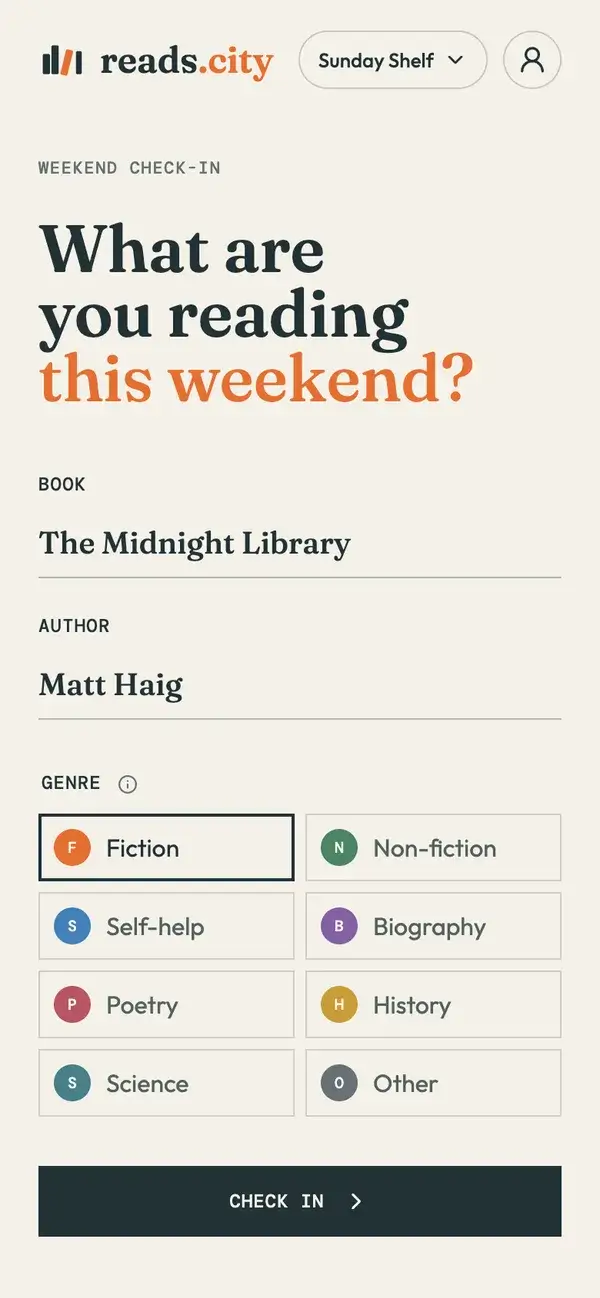
Check in Add your book, its author and its genre in a few seconds. 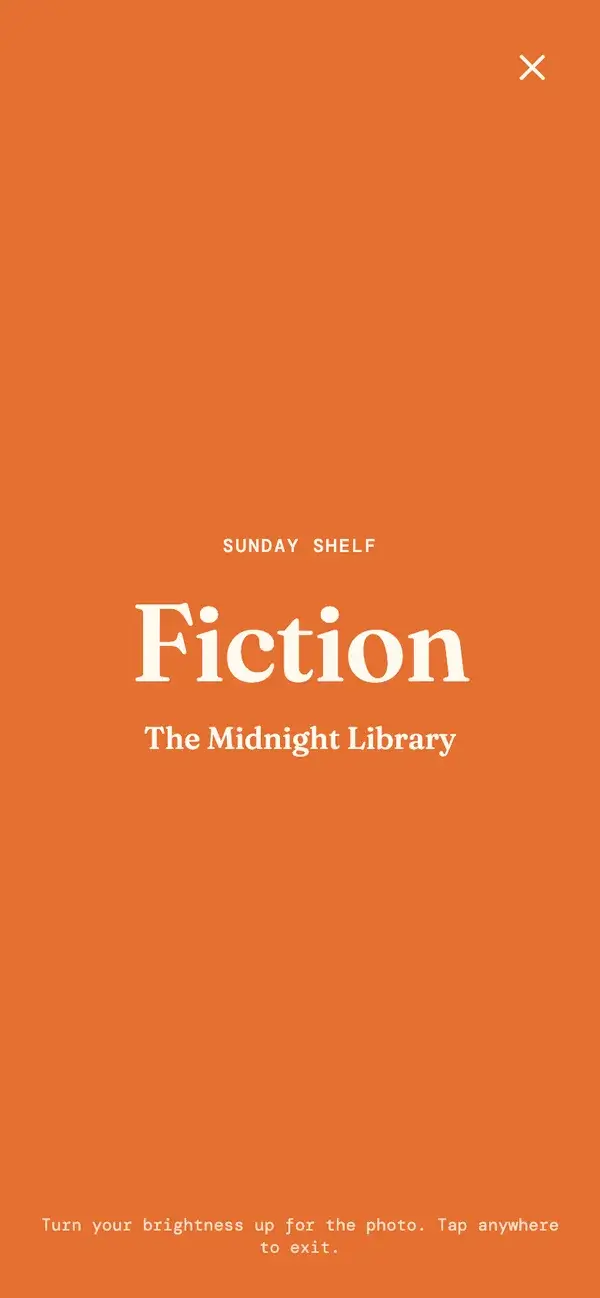
Reading Colours Hold up your phone in the group photo. It shows your genre’s colour. 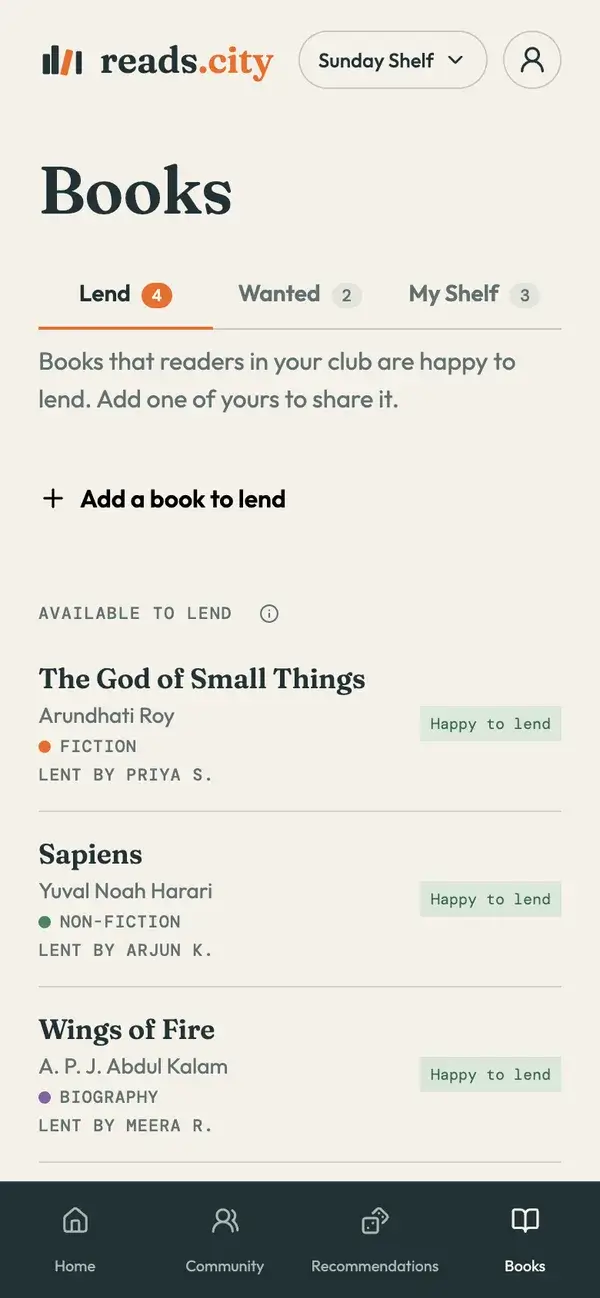
Share books See the books readers in your club are happy to lend. 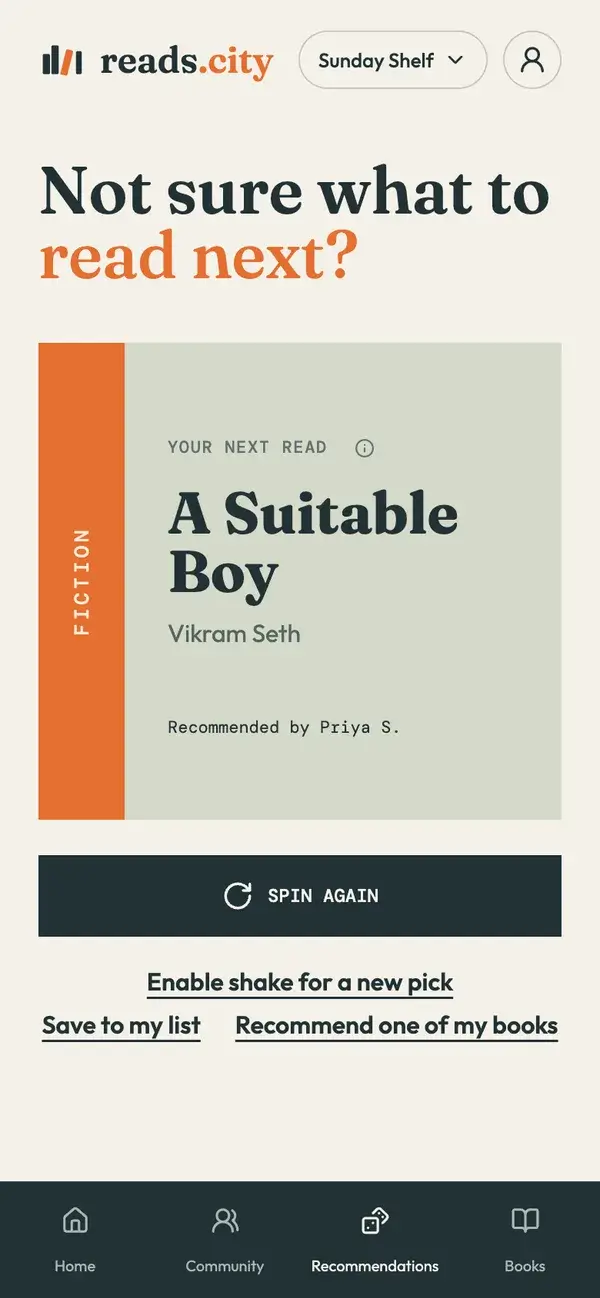
Your next read A book another reader in your club recommends. Spin for another. 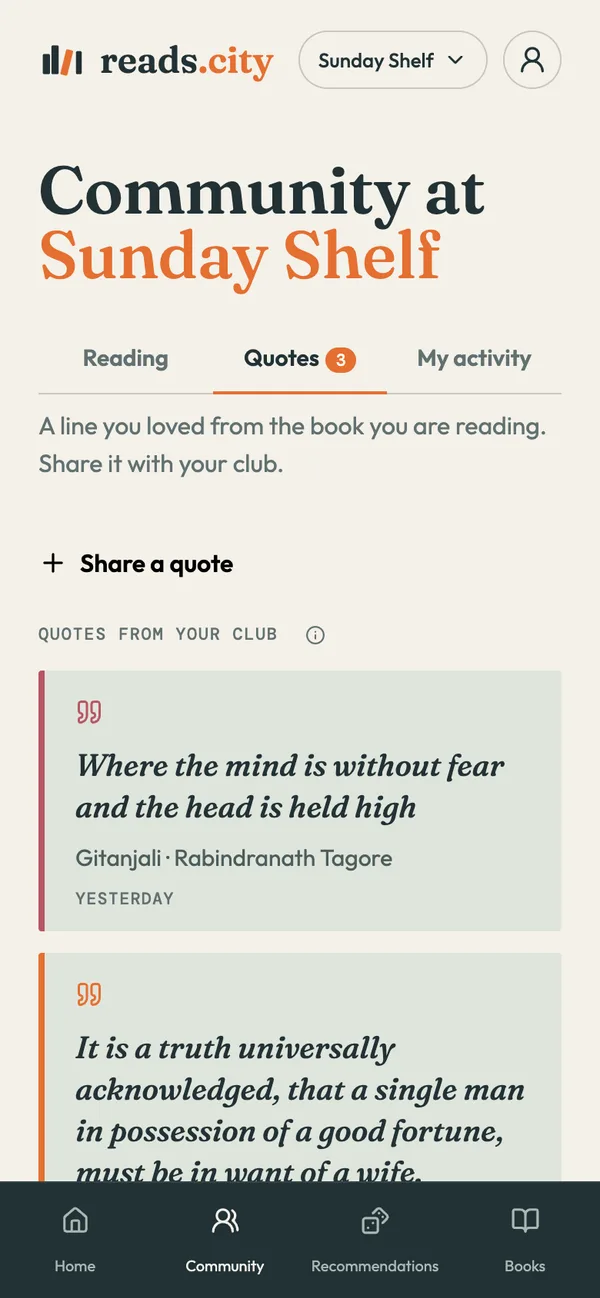
Quotes Share a line you loved from the book, and read the ones your club saved.
Screens show example data.
No names shown.
You see how many people read each genre, never who is reading what.
No chat in the app.
Talk to people and swap books in person.
One tap in.
Sign in with Google. No passwords, nothing to set up.
Getting started
How to bring your club.
Message us
On Instagram at reads.city, or at hello@reads.city. Tell us your club’s name, your city, and when and where you meet.
We set up your club
We create your club's page, add your meetups, and give your Google account access to reads.city/myclub to keep them up to date. If your city isn't on reads.city yet, your club opens it.
Share it with your readers
Post your club link in your group, or show the QR code at your next meetup. Readers sign in with Google and check in.
Bring your club to reads.city.
Message us with your club’s name, your city, and when and where you meet. We will set up your page and send you the link.
Onboard your clubQuestions from organizers.
What do club organizers get?
A page for your club with the date, time and place of every meetup, a map link, your meetup steps and a link to message you. Your readers check in at each meetup, see how many came and what they are reading, and share books.
Does reads.city cost anything?
No. We never charge organizers or readers, and there are no subscription fees.
Do I need to change how my club runs?
No. Keep your place, your time and your format. reads.city adds a page for your meetups and a check-in for your readers.
Can I keep my WhatsApp group or Instagram page?
Yes. We add a link to it on your club page, so readers can message you there. reads.city has no chat of its own.
Can I see who came to a meetup?
You see how many readers checked in and which genres and books they brought. Names are never shown, to organizers or to other readers.
How does reads.city handle my readers’ data?
Readers sign in with Google. Their email addresses are never shown to organizers or to other readers. Their account details, check-ins and books are stored securely. Each reader’s check-ins appear in their own reading timeline, and club reading stats never show names. We do not sell personal data.
How do I change a date or place, or take a break?
Sign in at reads.city/myclub with the Google account we set up for your club. You can change a date, time or place, cancel or add a meetup, and take a break. Your club page updates within 5 minutes. While your club is taking a break, your page says so and readers cannot join until you are back.
What happens if no meetup is scheduled?
Your page shows the date as to be announced, and readers cannot check in. Add your dates at reads.city/myclub, or send them to us, a few weeks ahead so your schedule never runs out.
Do my readers need to download an app?
No. reads.city works in the phone’s browser, and readers can add it to their home screen if they like. They sign in with Google, with no passwords.
Can my city have more than one club?
Yes. Each club has its own page and schedule, and your city’s page lists every club and this weekend’s meetups.
How do I get started?
Message reads.city on Instagram, or email hello@reads.city, with your club’s name, your city, and when and where you meet. We will set up your page and send you its link, and the link to manage it.